🎉 Gripo Beta-1.0 release
Gripo Website
Gripo homeContact ↗Request free license 🔥
  • Introduction
  • Getting Started
    • On Kubernetes
    • On Docker
    • Enable license
  • Workflow
    • Create Workflow
    • Types Of Workflows
      • On Demand
      • On Schedule
      • Webhook
      • WhatsApp
    • Types Of Applications
      • Amazon Managed Kubernestes
        • All Cluster
        • Node Pool Resize
        • Node Pool Detail
        • Node Pool
      • Amazon Cost Management
      • Azure Managed Kubernetes
        • All Cluster
        • Start Cluster
        • Stop Cluster
        • Node Pool Resize
        • Node Pool Detail
        • Node Pool Event
      • Azure Cost Management
      • Core
        • Loop
        • If/Else
        • Temporary Save
        • Switch
        • Parallel Path
      • E-Mail
      • WhatsApp
      • Slack
  • Connection
    • Create Connection
      • Azure
      • AWS
      • Linode
      • DigitalOcean
      • Slack
      • OpenAI
      • E-Mail
    • Update Connection
    • Delete Connection
  • Plugin
    • Create Plug In
      • Add Manifest
        • Type Http
          • Add Events
            • Add fields
            • Basic
            • Validation
            • Advance
        • Type gRPC
          • Add Events
            • Add fields
            • Basic
            • Validation
            • Advance
  • Ai Agent
    • Create Ai Agent
    • Cost Saving
      • Cost Saving
    • Automation
      • Node Detail
      • Resize Node Pool
    • Threat Monitor

On This Page

  • E-Mail Credential:
Question? Give us feedback →Edit this page
ConnectionCreate ConnectionE-Mail

E-Mail Credential:

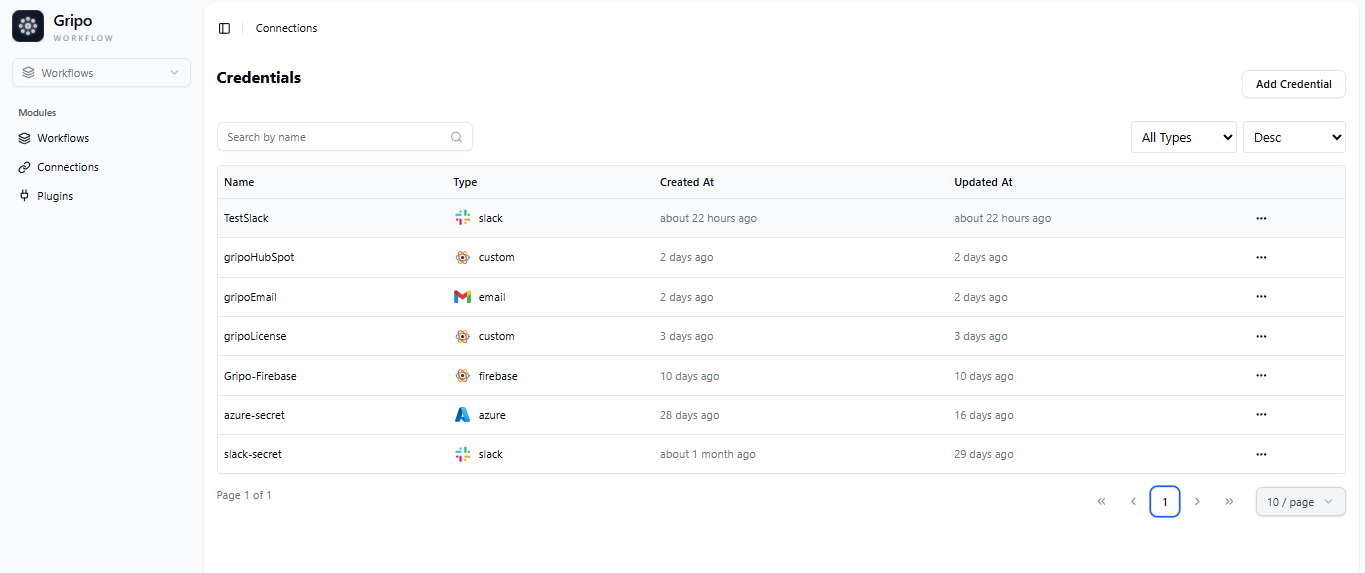
  • To create a connection, navigate to the Connection section

workflow

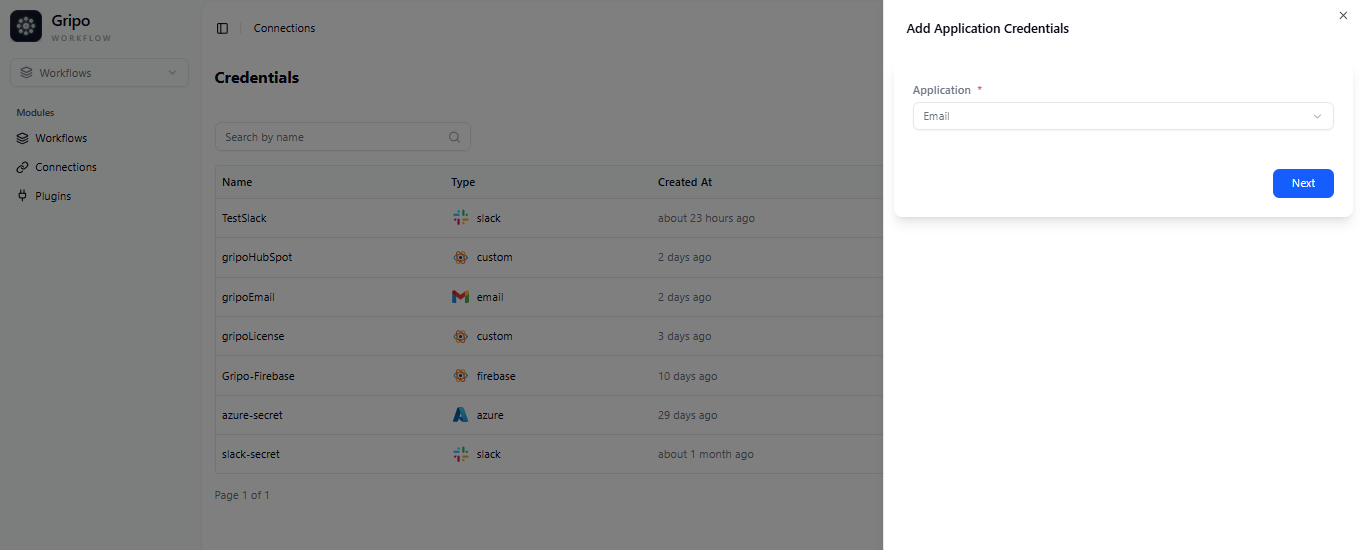
  • Click on Add Credentials

azure

  • A window appears. From the Application dropdown, choose E-Mail.
  • Click on Next button

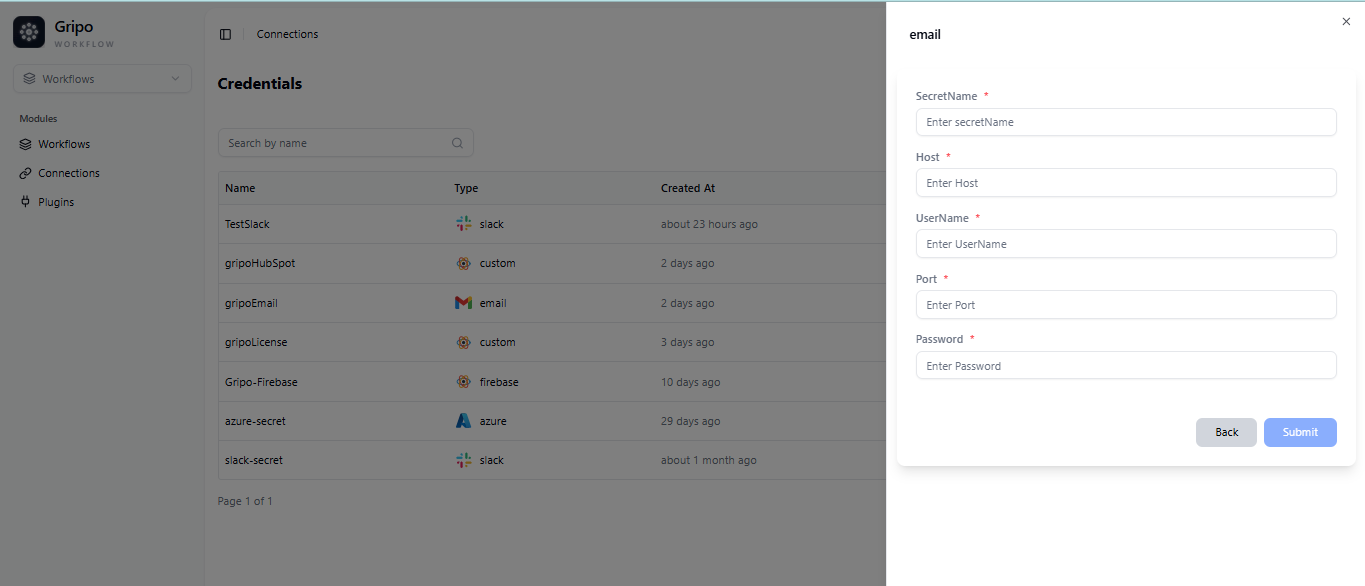
email

  • A form will be presented for you to enter the required details.
  • Enter a Secret name for your credential.
  • Provide the Host
  • Provide the User Name
  • Provide the Port
  • Provide the Password

email

  • After filling the form , click on Submit button
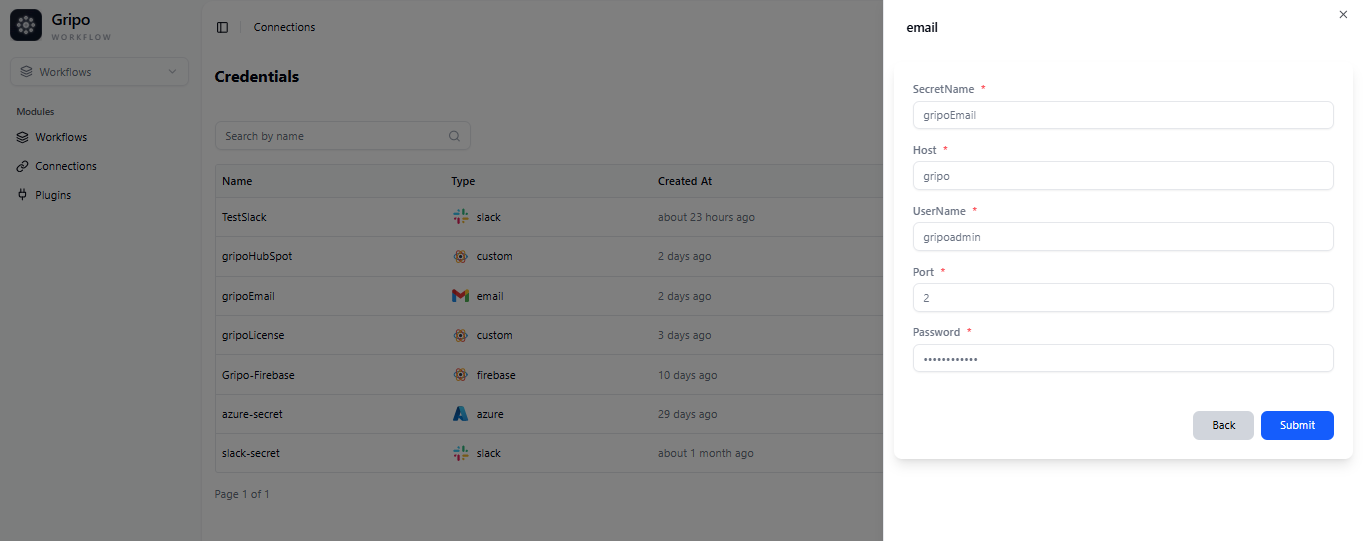
email

OpenAIUpdate Connection

Copyright © 2025 GRIPO.IO All Rights Reserved