Overview:
The Amazon Managed Kubernetes activity in GRiPO helps you easily automate and manage your AWS clusters. It allows you to start, stop, scale, or monitor your cluster resources directly through workflows. This makes daily operations faster, reduces manual work, and ensures your cloud resources are always optimized.
Examples:- Start or stop EC2 nodes automatically.
- Restart clusters when they become unhealthy.
- Scale resources based on workload or schedule.
Add Amazon Managed Kubernetes activity
- After the workflow is created, click on the “+” button to add amazon managed kubernetets.

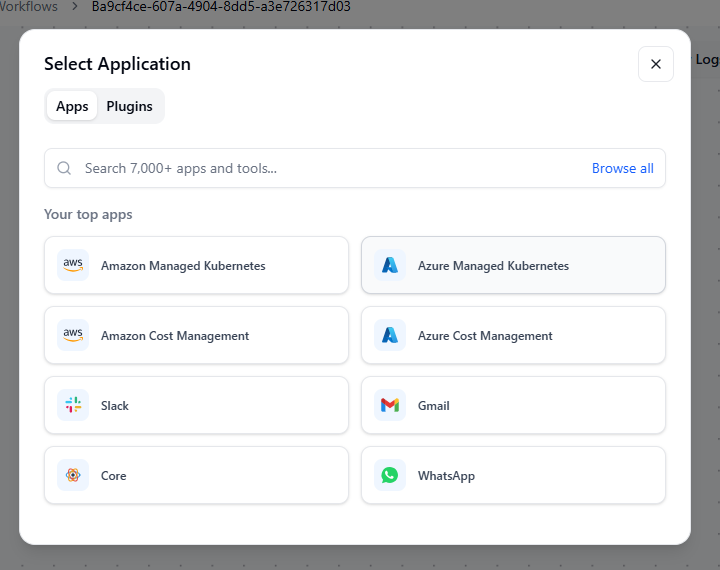
- Select Amazon Managed Kubernetes from the list.
Once selected, a list of available actions will appear, including:
- All Clusters : View all your connected Azure clusters.
- Nodepool Detail : Retrieve detailed information about a node pool.
- Nodepool Resize : Adjust the size of a node pool by adding or removing nodes.
- Nodepool :View or respond to node pool-related events.
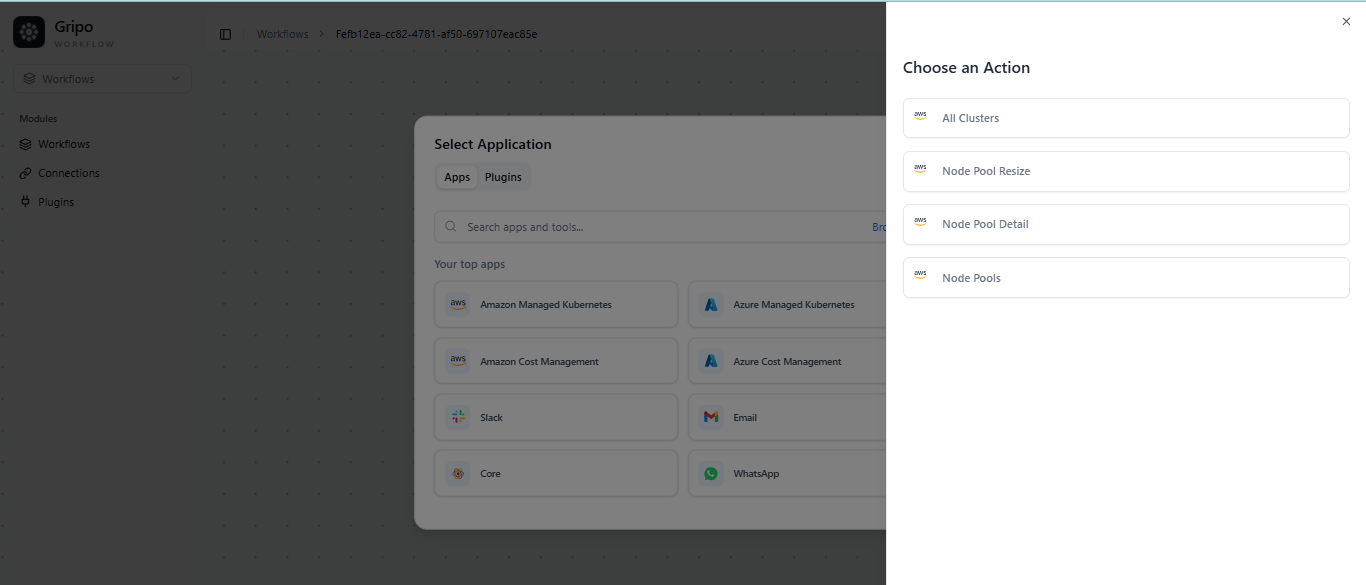
- Choose the action you want to add under Azure Managed Kubernetes based on your workflow requirement.