Use Case: Resize Azure Node Pool in GRiPO Workflow
This use case demonstrates how you can automate the resizing of Azure Kubernetes Node Pools using GRiPO Workflows.
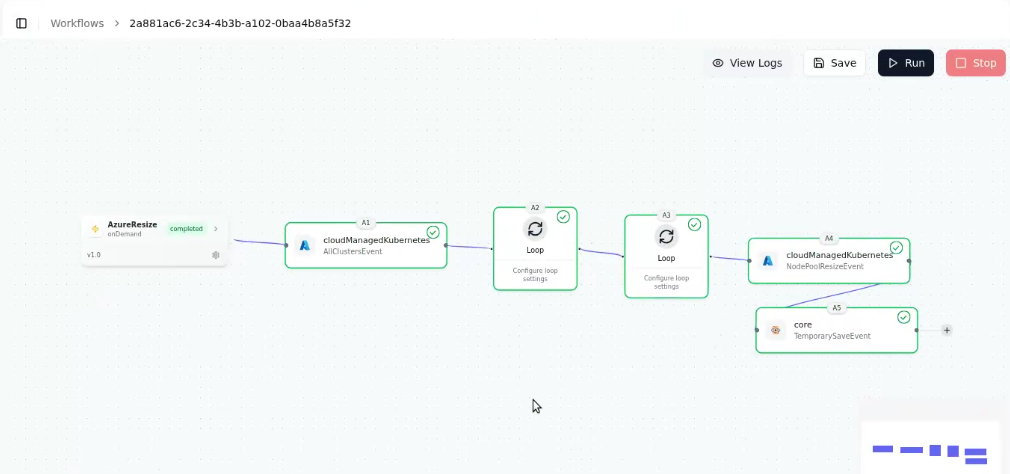
By combining multiple activities such as Loop Activities, Azure Managed Kubernetes, and Temporary Saved Actions, you can easily iterate through clusters and update node pool sizes automatically — without manual intervention.
This workflow is especially useful when you’ve already filled in the connection details for an Azure activity but want to save and complete the configuration later (for example, selecting the resize action afterward).
Prerequisites
- You have a Gripo account and permission to create workflows.
- A valid Azure connection reference is configured in Gripo (credentials/service principal with access to the target resource group and cluster).
- Know the Cluster Name you want to manage.
Step 1: Create Workflow in GRiPO
- Go to the Workflow tab from your GRiPO dashboard.
- Click on “Create Workflow”.
- Enter a name, description, and choose the type of workflow you want to create (HTTP, gRPC, etc.).
- Once created, your empty workflow canvas will appear, ready to add activities.
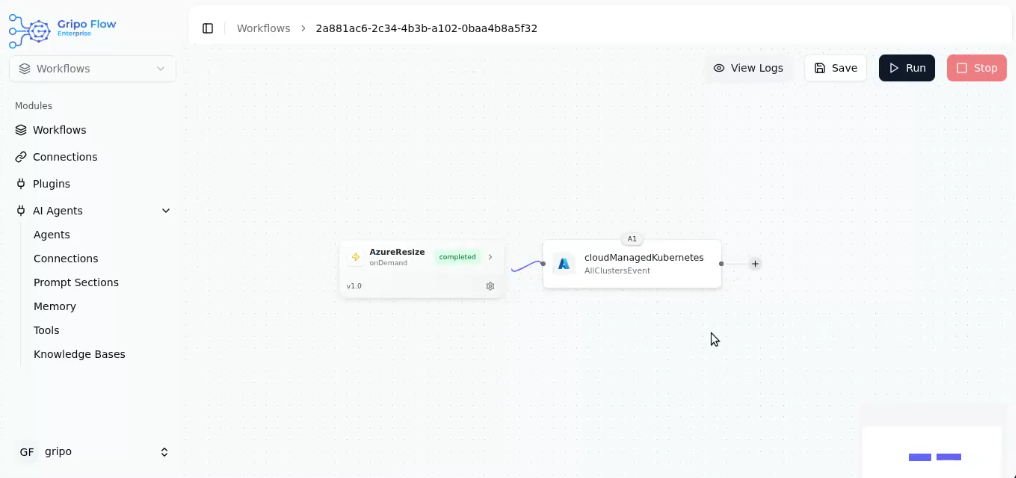
Step 2: Add Activity — Azure Managed Kubernetes
- Click on the “+” button to add your first activity.
- After selecting Azure Managed Kubernetes, a list of available Azure cluster actions will appear.
- From this list, choose “All Clusters” to fetch details of all clusters in your Azure environment.
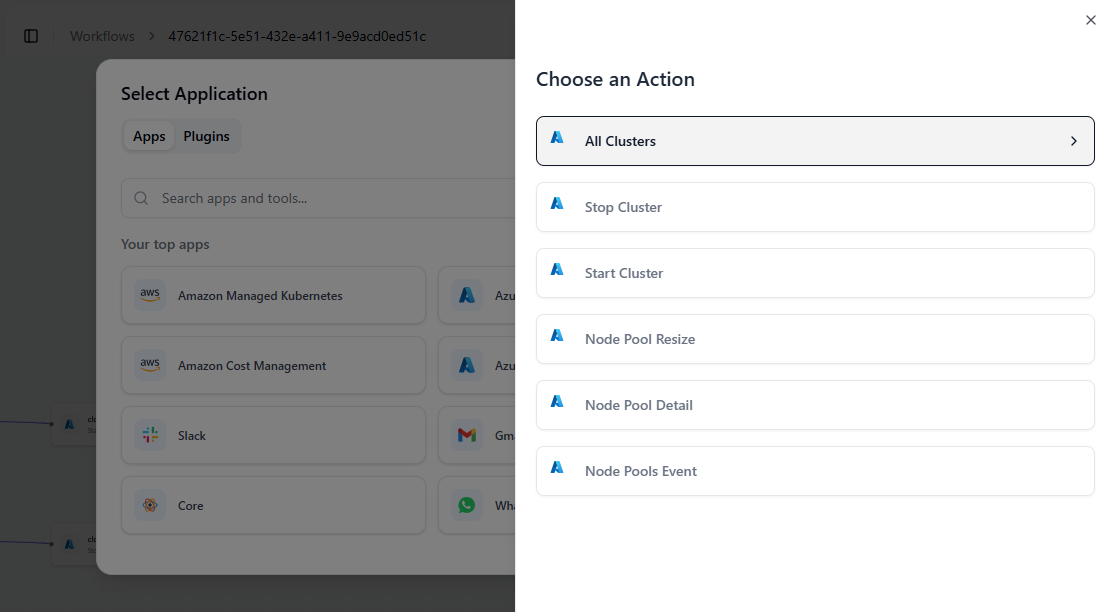
- Provide your connection reference to securely link your Azure account.
- Click on Submit Button.
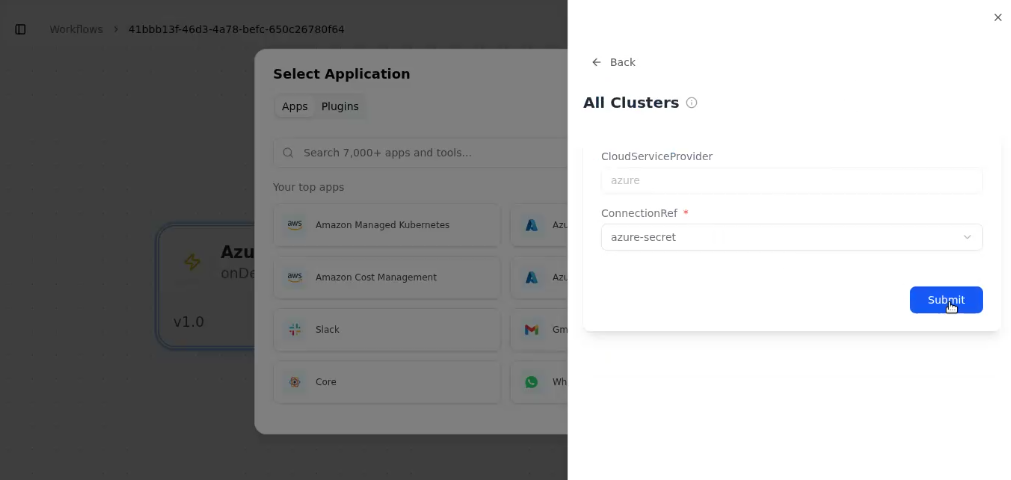
- All Cluster Action is added in Azure Managed Kubenetes.
Step 3: Add Loop Activity — Iterate Over Cluster List
- After saving the Azure activity, click on the “+” button again.
- Select Core
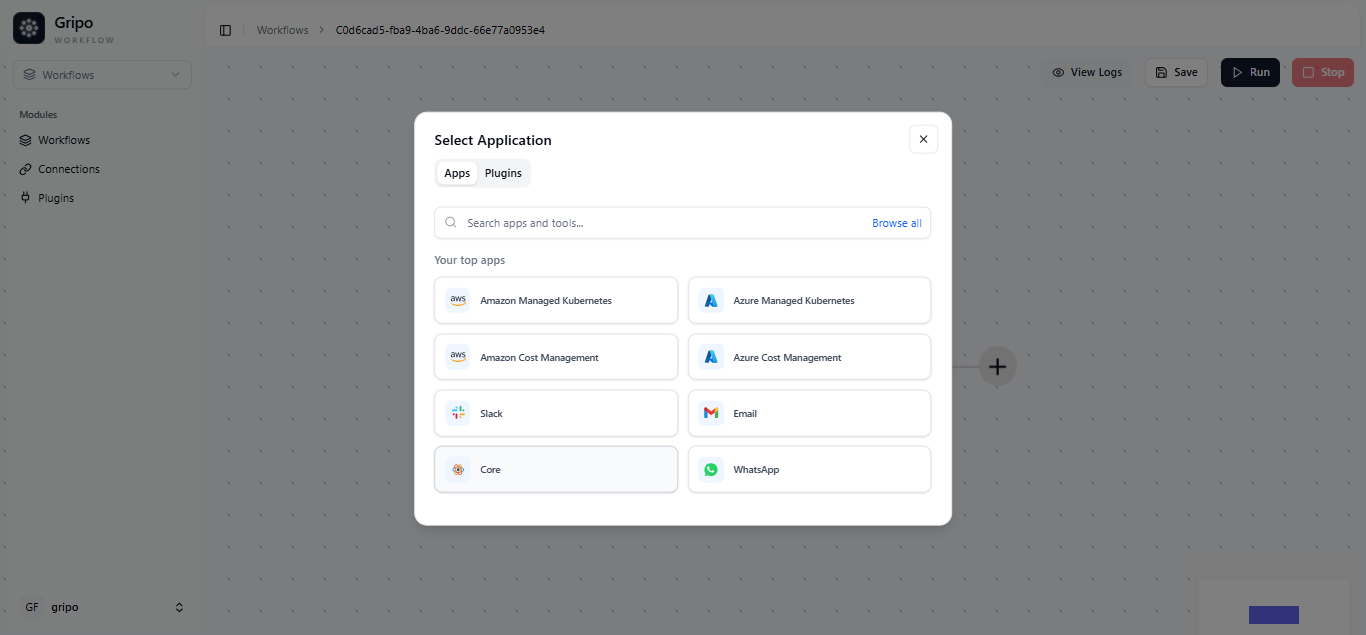
- Select a Loop activity.
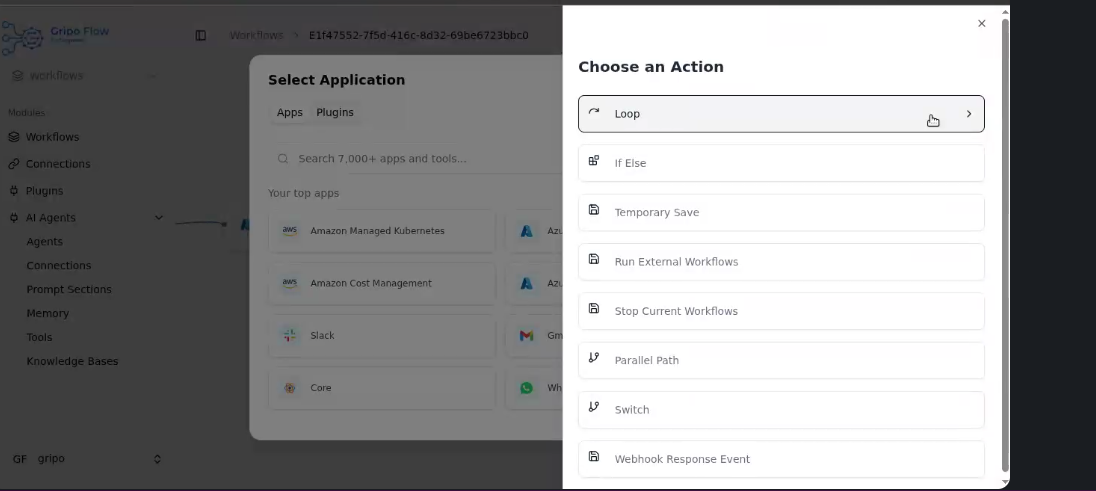
- Inside the loop, add an item “AzureManagedKUbernetes A1, to Get Cluster information.
- Click on Submit Button.
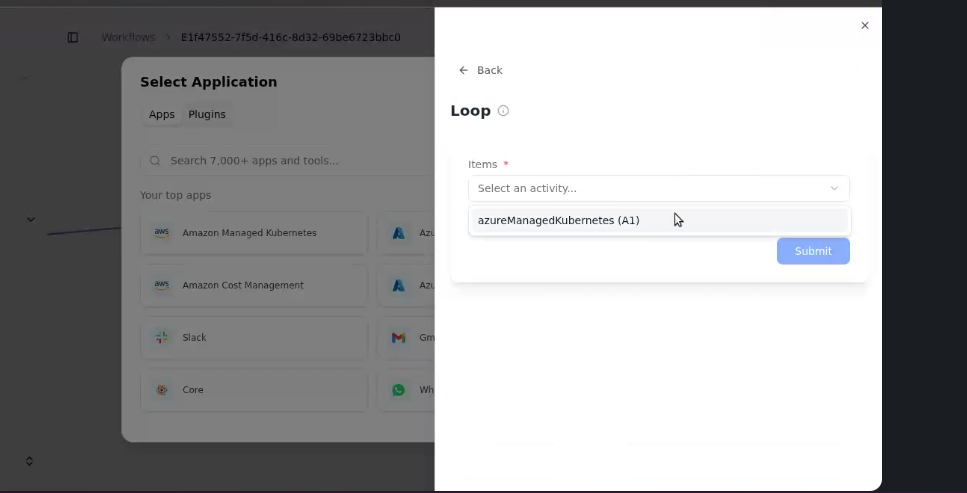
- The loop will now process cluster.
- This will return important details like Cluster Name, Region, etc.
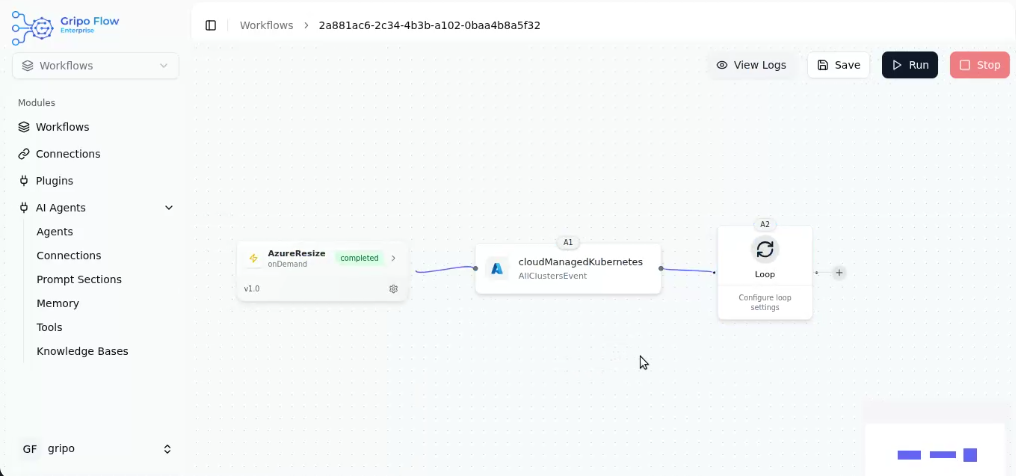
This setup allows GRiPO to automatically go through each cluster one by one.
Step 4: Add Nested Loop — Iterate Over Node Pools
- From the cluster data received in the previous step, add another Loop activity to go through each node pools.
- Click on ”+” button to add a new activity
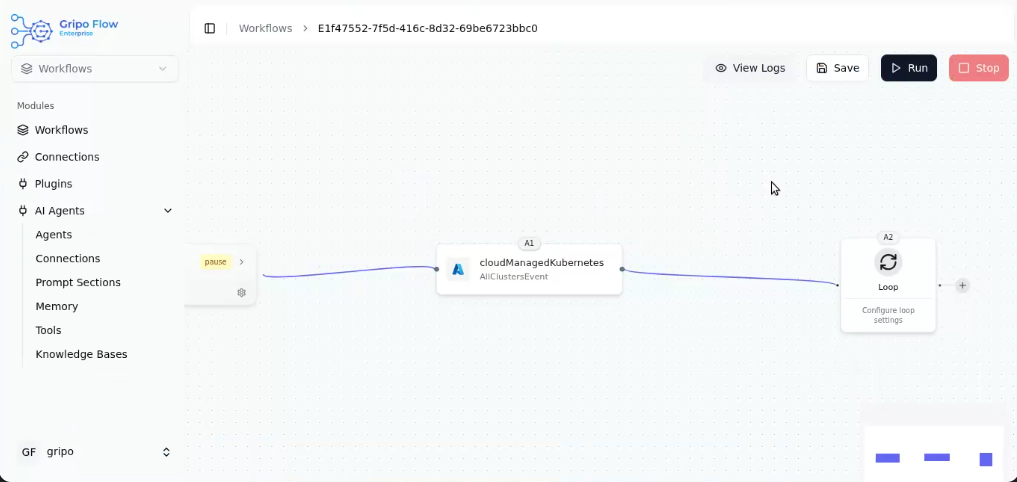
- Select Core
- Select a Loop activity.
- Inside this loop, you can extract details such as the Node Pool Name, node size, and statusby adding core A2 in item field.
- Click on Submit Button.
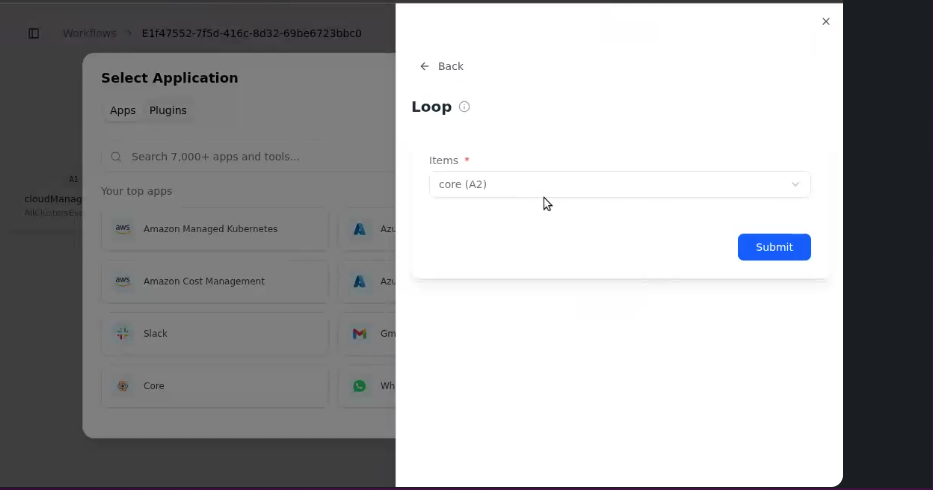
- The loop will now process each node pool of the cluster.
- This will return important details like Node Pool Name, Node Size, and Status.
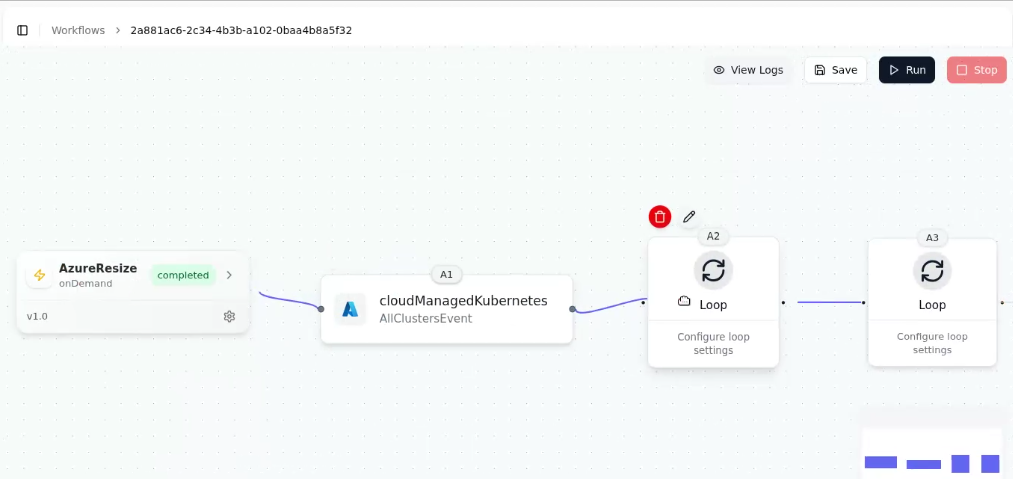
Step 5: Configure Resize Action
- After selecting Azure Managed Kubernetes, a list of available Azure cluster actions will appear.
- From this list, choose “Node Pool Resize” to fetch details of all clusters in your Azure environment.
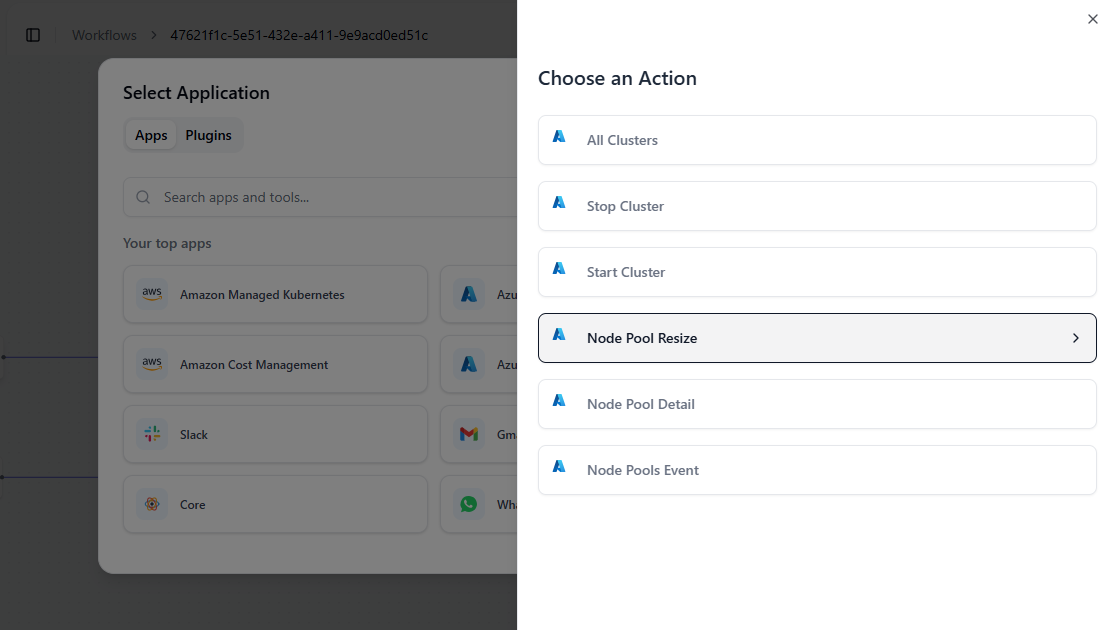
- After selecting Azure Managed Kubernetes, a form appears showing Azure as the Cloud Provider name.
- Provide the following details:
Cluster Name
Connection Reference
NodePool Name
Resource Group
Count - Once all fields are filled, click on the Submit button.
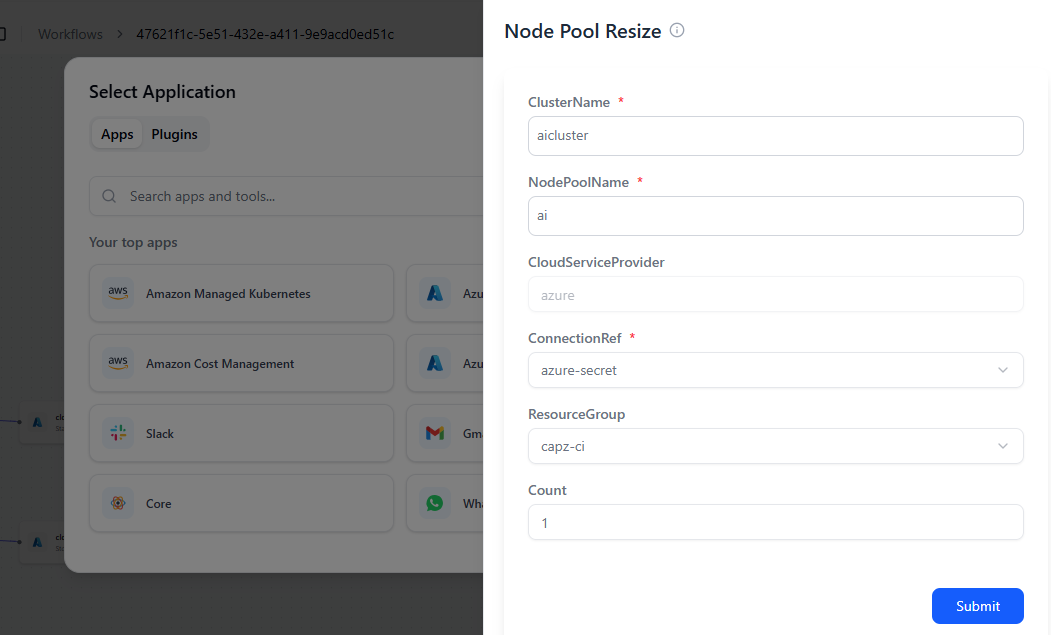
- Your NodePool Resize action is now added under the Azure Managed Kubernetes activity.
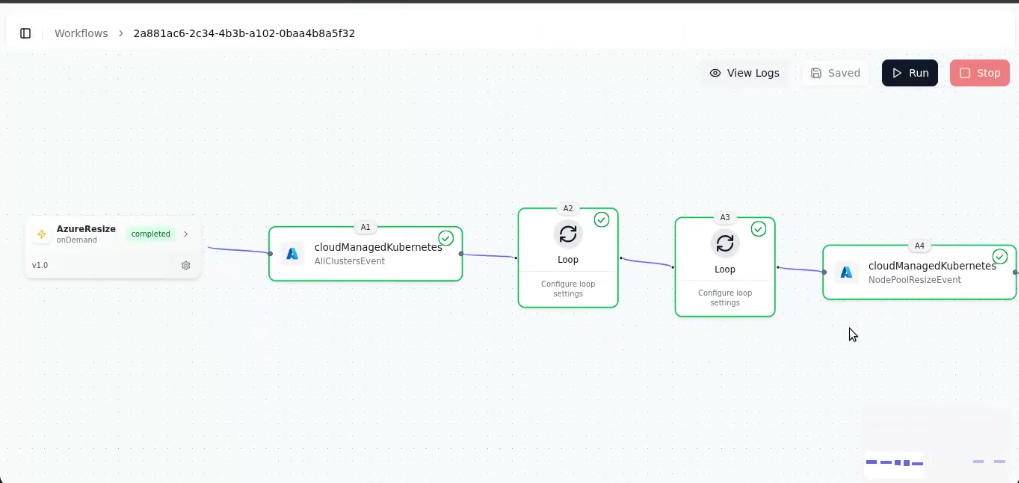
This ensures that during workflow execution, each node pool under every cluster is automatically resized according to your specified values.
✅ Tip: Temporary saving helps when you need to set up dependent actions first or fetch details (like cluster or node pool names) before applying changes.
Step 6: Run and Monitor the Workflow
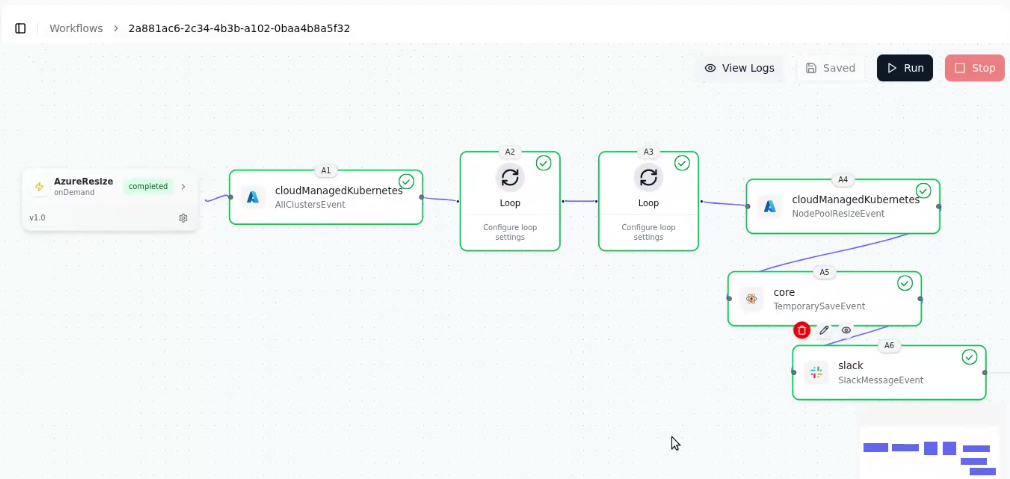
- Add a Slack activity (or email) after each Azure action to receive status updates:
- After all configurations are complete, click on the “Save” button to save the workflow.
- Then click “Run” to execute it.
Final Outcome
The workflow automatically:
- Iterates through all your Azure Kubernetes clusters.
- Identifies each node pool.
- Resizes them to your desired configuration — all without manual input.
Using GRiPO’s Temporary Save, Loop Activities, and Azure Integration, you can efficiently manage large-scale Azure Kubernetes environments with flexibility and precision.