🎉 Gripo Beta-1.0 release
Gripo Website
Gripo homeContact ↗Request free license 🔥
  • Introduction
  • Getting Started
    • On Kubernetes
    • On Docker
    • Enable license
  • Workflow
    • Create Workflow
    • Types Of Workflows
      • On Demand
      • On Schedule
      • Webhook
      • WhatsApp
    • Types Of Applications
      • Amazon Managed Kubernestes
        • All Cluster
        • Node Pool Resize
        • Node Pool Detail
        • Node Pool
      • Amazon Cost Management
      • Azure Managed Kubernetes
        • All Cluster
        • Start Cluster
        • Stop Cluster
        • Node Pool Resize
        • Node Pool Detail
        • Node Pool Event
      • Azure Cost Management
      • Core
        • Loop
        • If/Else
        • Temporary Save
        • Switch
        • Parallel Path
      • E-Mail
      • WhatsApp
      • Slack
  • Connection
    • Create Connection
      • Azure
      • AWS
      • Linode
      • DigitalOcean
      • Slack
      • OpenAI
      • E-Mail
    • Update Connection
    • Delete Connection
  • Plugin
    • Create Plug In
      • Add Manifest
        • Type Http
          • Add Events
            • Add fields
            • Basic
            • Validation
            • Advance
        • Type gRPC
          • Add Events
            • Add fields
            • Basic
            • Validation
            • Advance
  • Ai Agent
    • Create Ai Agent
    • Cost Saving
      • Cost Saving
    • Automation
      • Node Detail
      • Resize Node Pool
    • Threat Monitor

On This Page

  • Update Connection
Question? Give us feedback →Edit this page
ConnectionUpdate Connection

Update Connection

  • Navigate to the Dashboard and open the Connections section
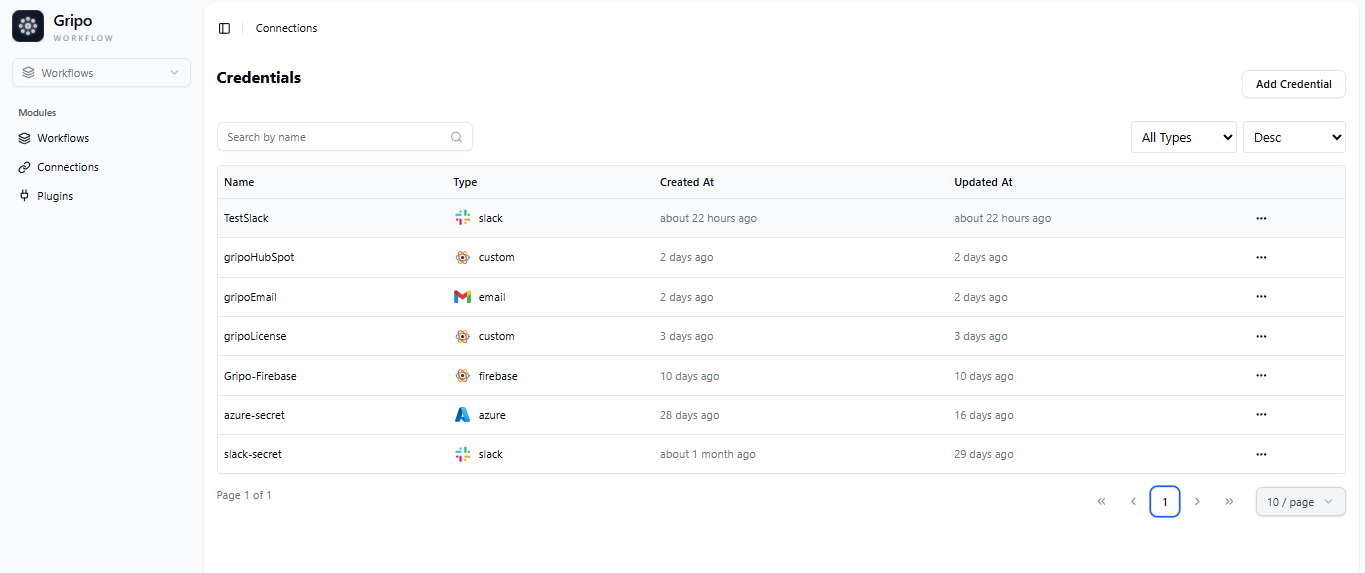
connection


  • From the list of available connections, click on the three dots (⋮) next to the connection you want to manage. Then, select an action you want to perform — either Update or Delete
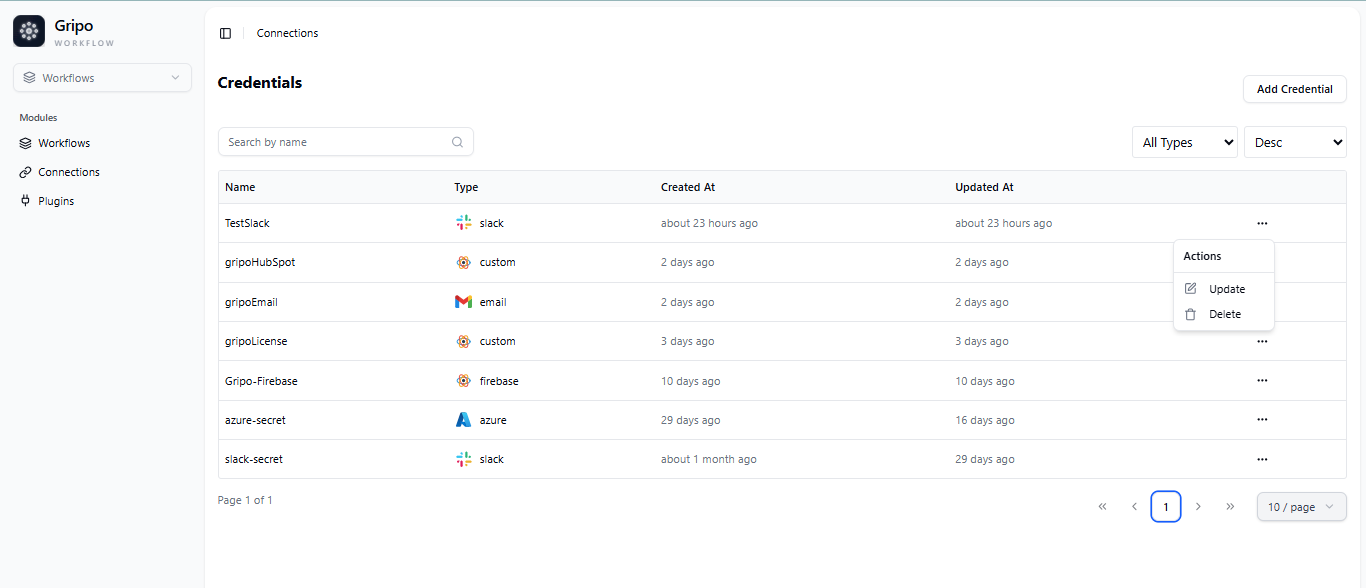
workflow

  • On clicking Update, a form will appear. Change the values of the fields you want to update, and then click Submit to save the changes.
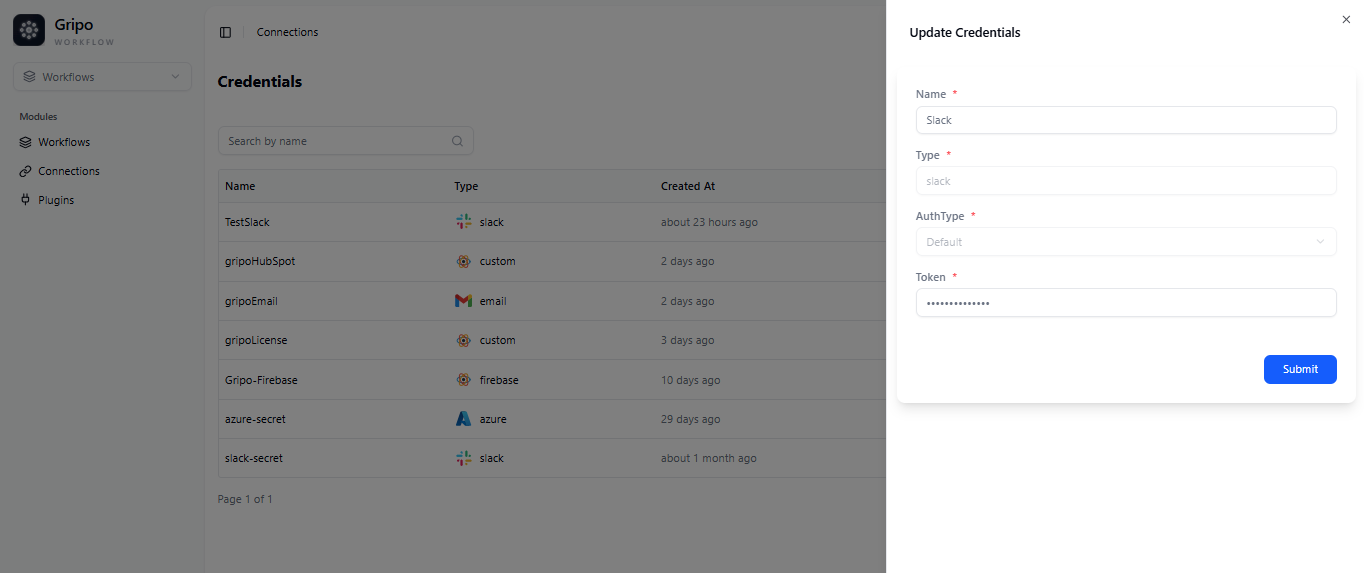
workflow

  • After submitting, a confirmation pop-up will appear indicating that the connection has been successfully updated.
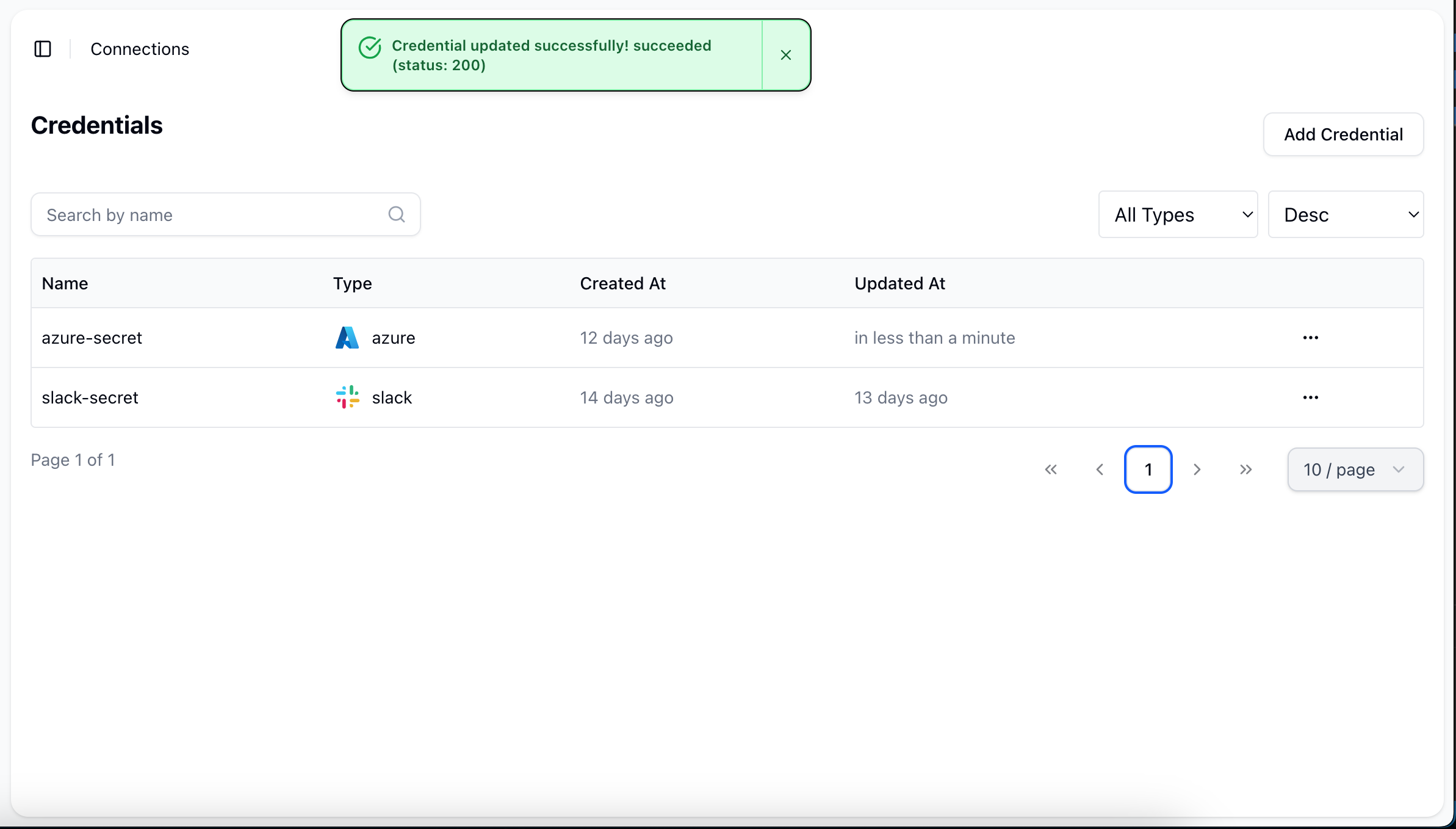
workflow

E-MailDelete Connection

Copyright © 2025 GRIPO.IO All Rights Reserved